One focused, native window that shows you the hidden metadata other tools quietly ignore — then removes it, without ever sending a file to the cloud.
🔍
The reveal comes first
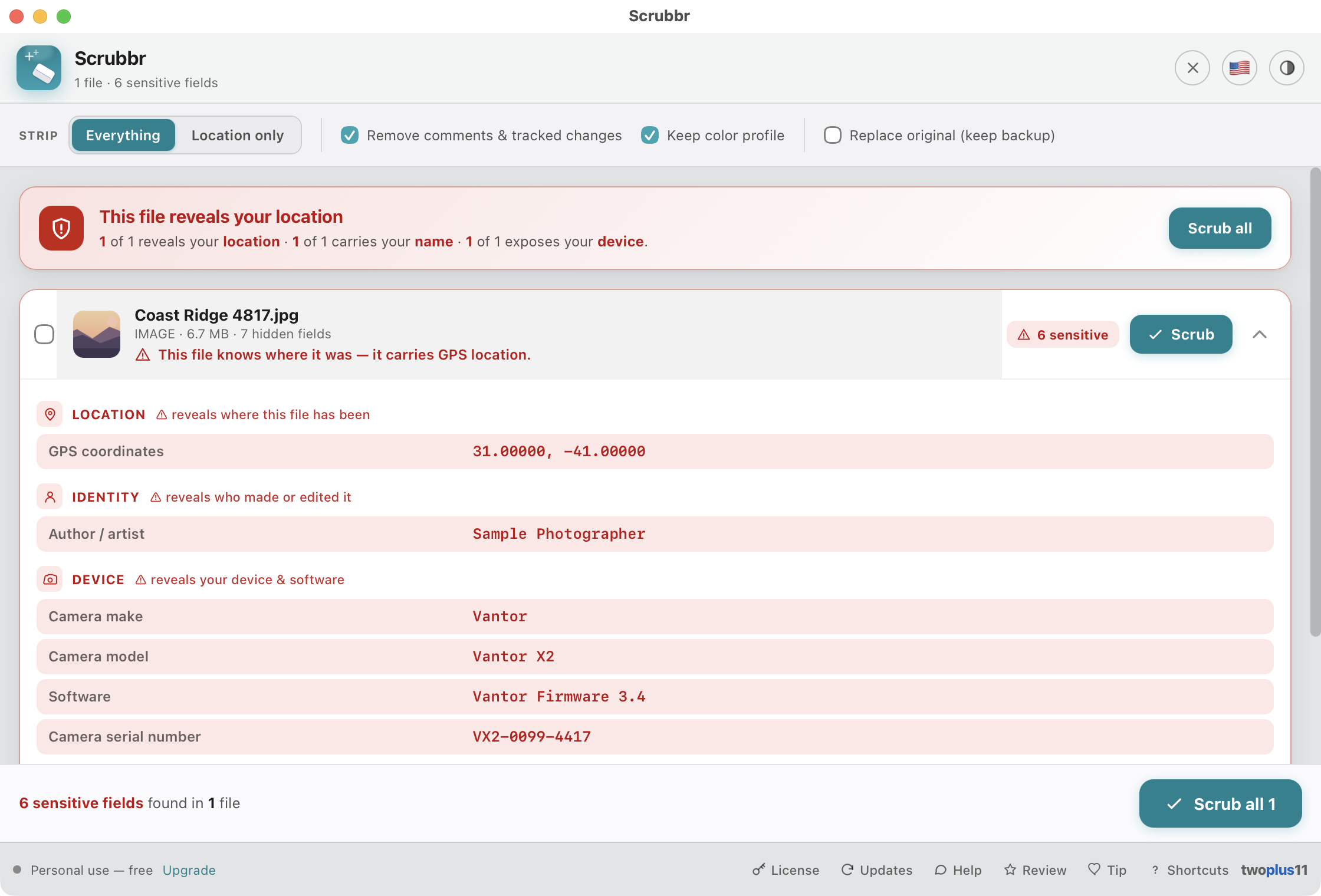
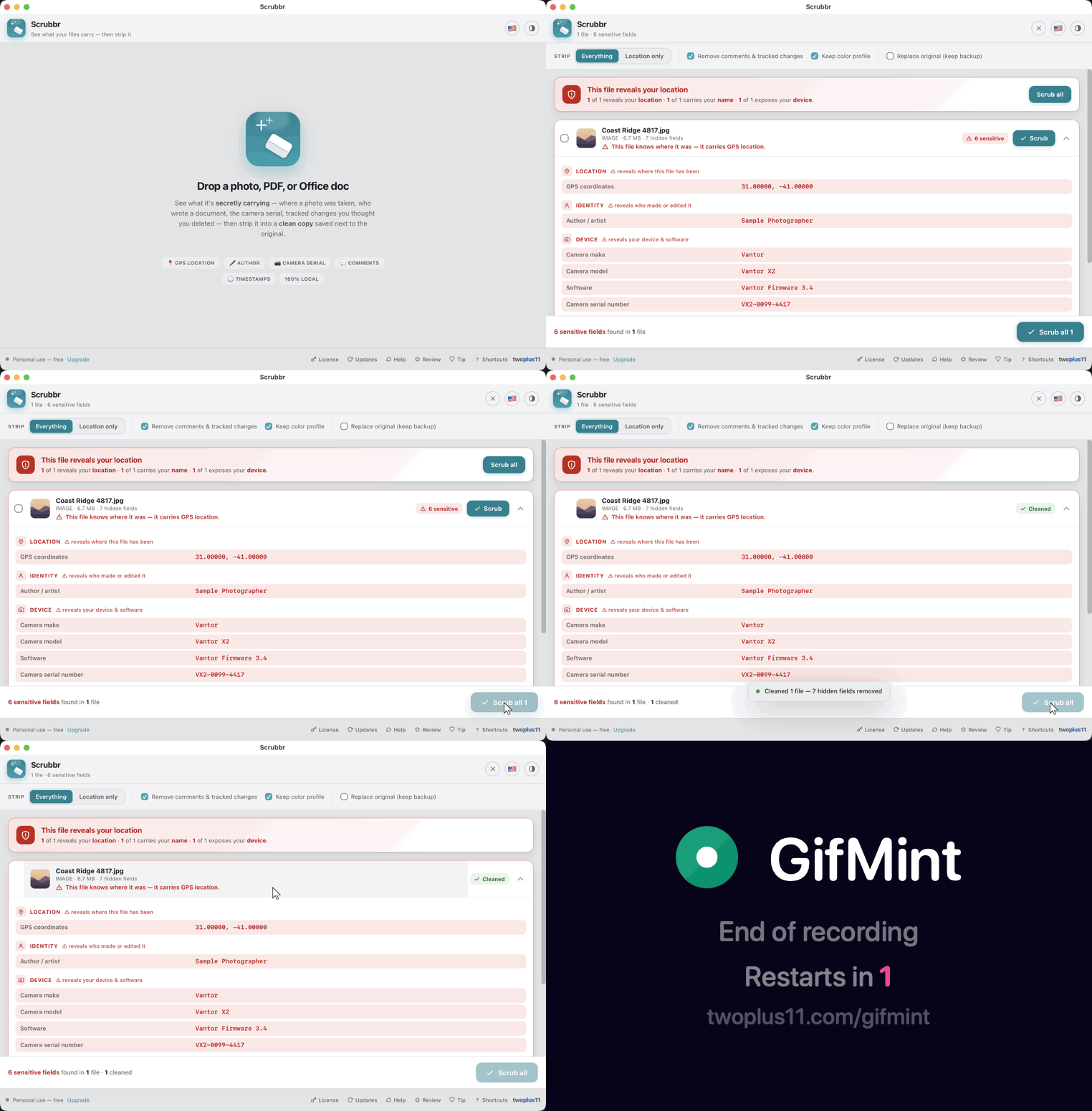
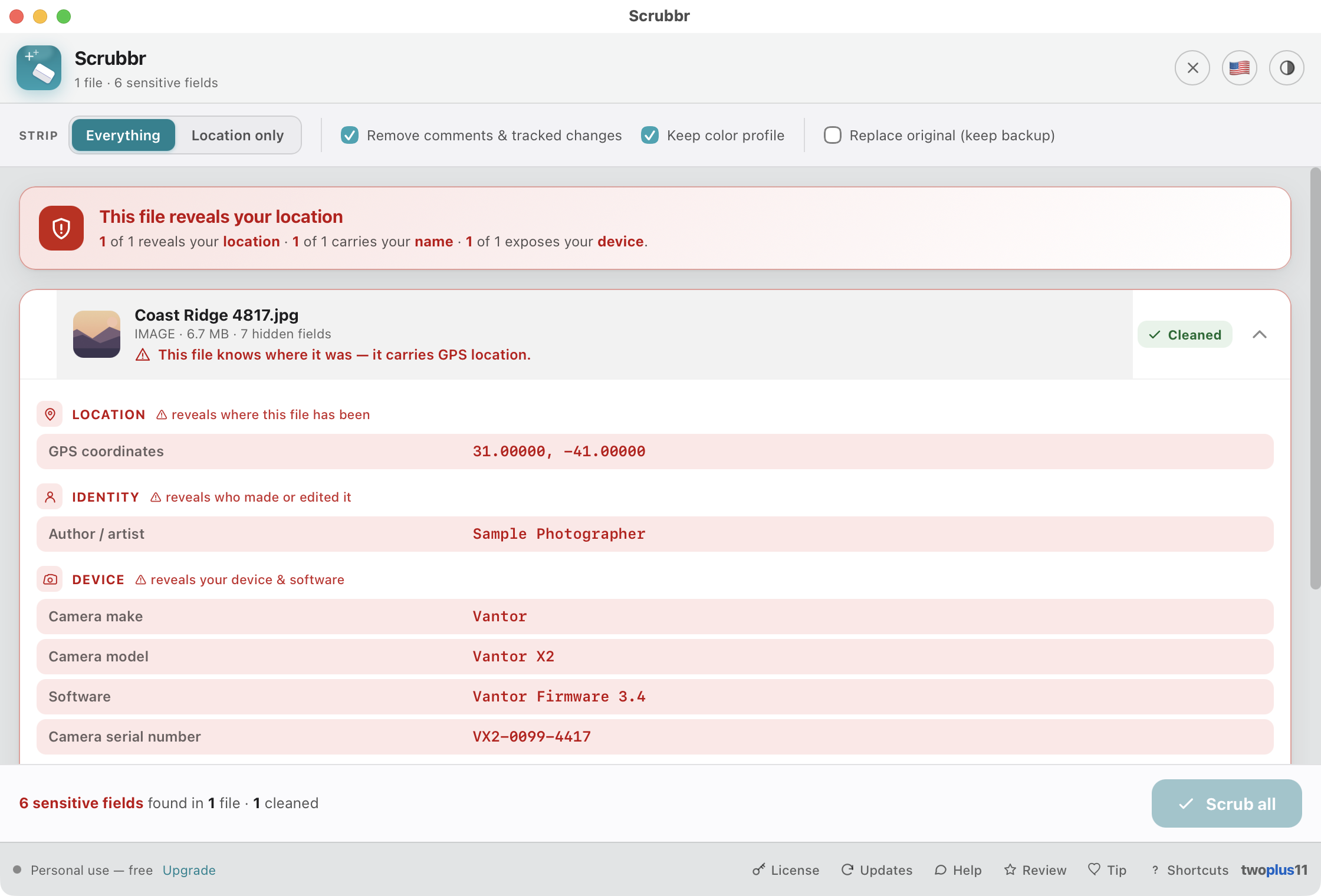
Drop a file and Scrubbr lists the hidden metadata it's carrying — grouped into Location, Identity, Device, History and Timestamps — with anything privacy-sensitive flagged in red and explained plainly ("reveals where this file has been"). You see the scary stuff before you strip it.
The reveal
🔗
The leak no EXIF tool touches
Every file you download on a Mac quietly carries the web address it came from — token and all — plus the app that downloaded it, and any Finder comment or tag. macOS staples these to the outside of the file, so tools that only rewrite the file's own headers leave them behind. Scrubbr shows them, flags the source URL in red, and no clean copy ever carries them.
Where-from · quarantine
🧾
Works on files it can't even open
Those macOS attributes ride on every file type — a ZIP, an installer, a spreadsheet Scrubbr has no reader for. Drop one in and Scrubbr still reveals where it came from, and still writes you a copy without it.
Any file type
🏷️
Content Credentials, reported honestly
Some cameras and AI tools attach C2PA Content Credentials — a signed record of what made a file and how it was edited. Scrubbr tells you when one is there, says plainly that it detects the manifest rather than verifying its signature, and warns that scrubbing an image destroys it. Your call, made with the facts.
C2PA · detection
📋
Keep the evidence first
Before you delete what a file was carrying, copy it. One click puts a plain-text report on the clipboard — per file or for the whole batch — grouped exactly as the app shows it, with the sensitive groups marked. Paste it into a ticket, an email, or your notes.
Copy report
📍
Strip GPS from photos
JPG, PNG, HEIC, TIFF and GIF: the GPS coordinates come off along with the rest of the EXIF — camera make, model and serial, software, timestamps. Scrubbr re-encodes just the pixels to a fresh file, keeps the ICC color profile and bakes in the orientation, so the photo looks identical.
EXIF · GPS
📄
Clean PDFs, honestly
Clears a PDF's document info dictionary and XMP — author, creator, the producing app, title and dates — and re-blanks the generic values a writer re-stamps on save. It doesn't rewrite deep embedded object streams, and Scrubbr tells you so rather than overpromising.
Author · dates · XMP
📝
Office comments & tracked changes
DOCX, XLSX and PPTX: author, company, last-editor and revision blanked. With the option on, Scrubbr deletes the comment parts and accepts every tracked change — keeping inserted text, dropping deleted text — leaving clean, valid OOXML. Formatting and tables are preserved.
Comments · revisions
🎬
Video & audio too
The QuickTime GPS tag — the big iPhone location leak — plus make/model, software and dates come off MP4, MOV, M4V and M4A with a lossless passthrough remux (no re-encode). MP3 and AAC get their ID3v2 and legacy ID3v1 tags stripped byte-for-byte.
QuickTime GPS · ID3
🗂️
Folders & bulk drops
Drop a whole folder and Scrubbr recurses in, adds every supported file with a progress bar, and headlines the risk at a glance — "3 of 7 files reveal your location." Sort the list by name, size, kind or how much it reveals, or filter it down to just the files carrying something sensitive. Checkbox-select the ones you want and Scrub selected, or Scrub all.
Privacy summary
🛟
Your original is never touched
Every scrub writes a new "(scrubbed)" copy next to the original. If that name is already taken, Scrubbr picks a unique one rather than overwrite. Nothing is ever destroyed.
Non-destructive
♻️
Or replace in place, safely
Opt-in: overwrite the file where it lives and keep a "(original)" backup right beside it — never lossy, off by default. If the source folder is read-only, Scrubbr offers to save the clean copy in a folder you pick instead of failing.
Keeps a backup
🎚️
Strip exactly what you want
Choose Everything, or Location only to drop the GPS but keep the camera info. Toggle comment and tracked-change removal and color-profile keeping. Your choices are remembered across launches.
🔒
100% on your Mac
No file — and no metadata — ever leaves your computer. No account, no cloud, no telemetry. Web scrubbers make you upload private files to someone else's server; Scrubbr never does. The only network calls are the optional license check and update check.
Privacy
📁
Reveal in Finder
Jump straight to the clean copy — or back to the original — in Finder, from every file card. No hunting through folders to find what Scrubbr just wrote.
🍎
Signed & notarized
Opens with a normal double-click — no "unidentified developer" warning, no Open Anyway, no Terminal. Signed with an Apple Developer ID and notarized by Apple.
No warnings
♿
Built for everyone
Fully keyboard-driven — add with ⌘O, paste from Finder with ⌘V, scrub everything with ⌘↵ — with VoiceOver labels and live announcements, honoured Reduce Motion, and WCAG 2.1 AA contrast in light and dark.
WCAG 2.1 AA
🌐
Speaks your language
Scrubbr's interface comes in 13 languages, with an in-app flag picker that auto-detects your Mac's language — switch it anytime.
13 languages