Your Mac screen,
as a tiny GIF.
GifMint lives in your menu bar. Record full screen, a window, or drag-select any area — then trim, copy, and paste a crisp animated GIF or MP4 anywhere. No export queue. No timeline. No megabytes.
Recording never leaves your Mac · no account · no telemetry
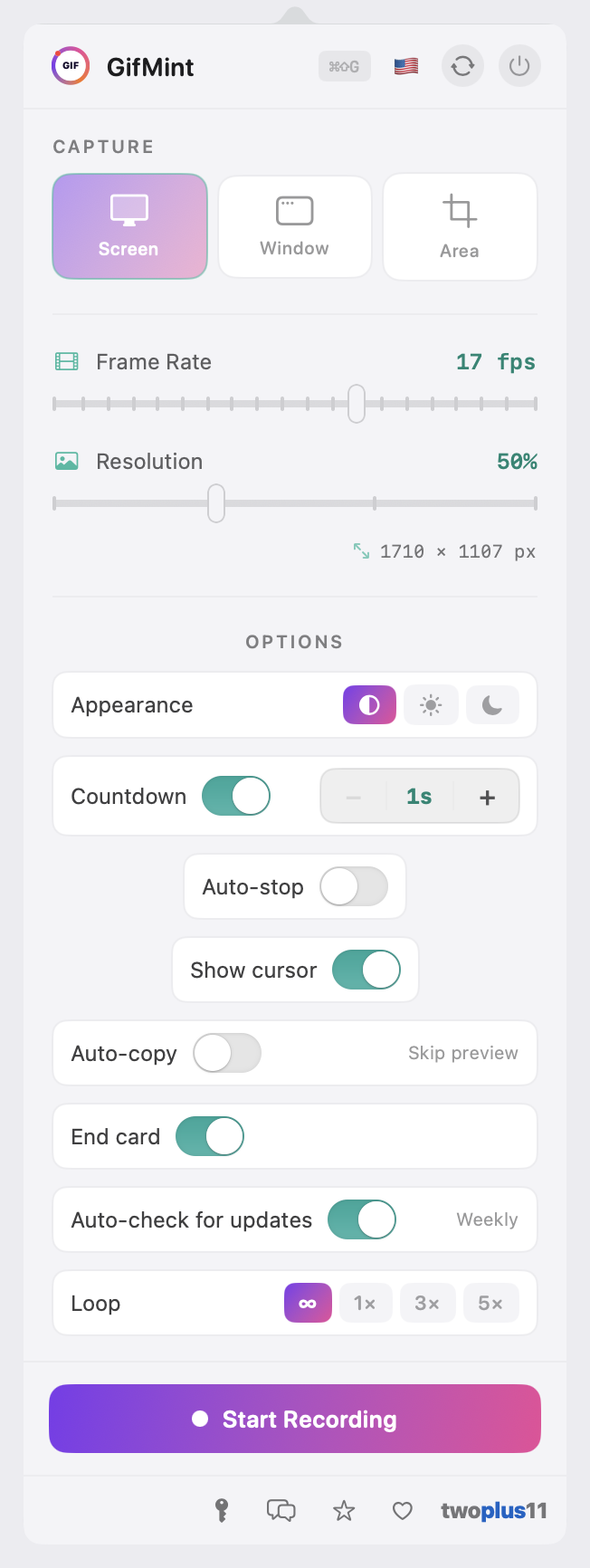
The whole app — it never leaves the menu bar.
Why not LICEcap or Kap?
Both are fine tools. Here's where GifMint is different.
Built for sharing, not editing suites.
No timelines, no export queues, no 4 GB screen recordings. Record, trim, copy, paste. Done.
GIF or MP4, your call
Shrink to fit — pick a limit, not a setting
Identical frames cost you nothing
Three capture modes
Auto-stop timer
Frame trimmer
Tiny files by design
Countdown before recording
Copy or drag to export
Global hotkey & right-click
Instant animated preview
Menu bar native
Auto-copy mode
End card
13 languages
Screen to clipboard in four steps.
Built on Apple's ScreenCaptureKit — crisp capture with no intermediate video file written to disk.
Click the menu bar icon
Countdown, then record
Trim & preview
Copy or drag anywhere
Keyboard shortcuts
Made for developers, designers, and teams.
Anywhere you'd write a paragraph to describe something visual — paste a GIF instead.
Bug reports
Record the exact interaction that triggers the bug. The reviewer sees the problem immediately — no "steps to reproduce" guessing games.
Attach to Jira · GitHub Issues · Linear · Shortcut
Feature demos
Share a new UI flow before the PR even lands. Drop a 10-second GIF into Slack and the whole team sees the interaction — no meeting required.
Post to Slack · Discord · Notion · Google Chat
Team docs & onboarding
Embed a how-to clip directly in Confluence, Notion, or Google Docs. Record once, your teammates get it right every time — without a support ticket.
Embed in Confluence · Notion · Google Docs · Figma comments
Client emails
Explain a feature or walk through feedback in 15 seconds. GIFs render inline in Gmail, Outlook, and Apple Mail — no "download the attachment" friction.
Drop into Gmail · Outlook · Apple Mail · HubSpot
Design reviews
Annotate a micro-interaction that's hard to describe in a Figma comment. Show the hover state, the transition, the exact timing — captured right from the prototype.
Comment on Figma · Zeplin · Abstract · Storybook
Changelogs & release notes
Lead with a GIF instead of a bullet list. Your release notes become the kind of thing people actually read — and share.
Publish to GitHub Releases · Notion · Changelog.md · Twitter/X
Free for humans. Fair for companies.
Personal use is free forever — no key, no account, no watermarks. Using GifMint at work? Buy a seat for each computer.
Personal
- All features, no watermarks
- No account, no trial timers
- Unlimited recordings
- Free updates forever
Business
- Everything in Personal
- Licensed for commercial use
- One seat per computer — add seats anytime
- License key delivered by email
- Priority email support
Need 10+ seats? Email for volume pricing. Questions? jeremy@twoplus11.com
Two small things on first launch.
GifMint is signed and notarized by Apple, so it opens with a normal double-click — then macOS will ask for permission to record your screen.
Opening the app the first time
Screen Recording permission
System Settings → Privacy & Security → Screen Recording). Grant it, relaunch GifMint, and you're set. GifMint only records when you explicitly start it — it never runs in the background.
Common questions.
Why GIF and not video?
How small are the files really?
Is there a recording time limit?
What is the auto-stop timer?
How does the global hotkey work?
Will macOS say GifMint is "damaged" or can't be opened?
xattr -cr /Applications/GifMint.app in Terminal. It's a one-time step.